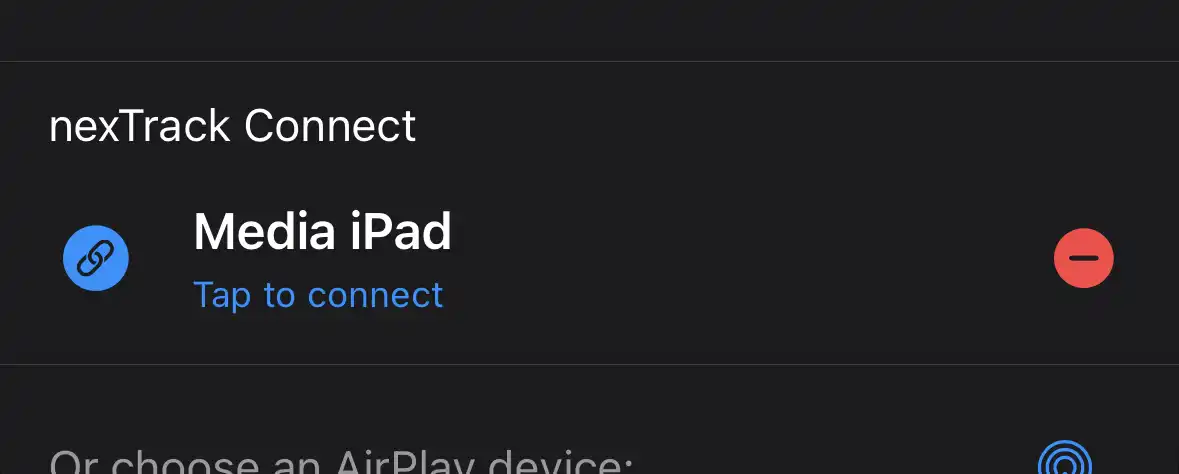
nexTrack Connect

One device plays. Another controls.
Turn any two devices running nexTrack into a high-fidelity playback system — stream Apple Music Hi-Res Lossless at up to 24-bit/192 kHz through an external USB DAC while controlling everything from the palm of your hand.

What is nexTrack Connect?
nexTrack Connect is a device-to-device communication protocol built into nexTrack. Similar in concept to UPnP, it lets two or more devices discover each other on the same network and work together — one as the Player and the other as the Controller.
Player
The device physically connected to your hi-fi system or external USB DAC. It handles audio output and delivers bit-perfect playback to your hardware.
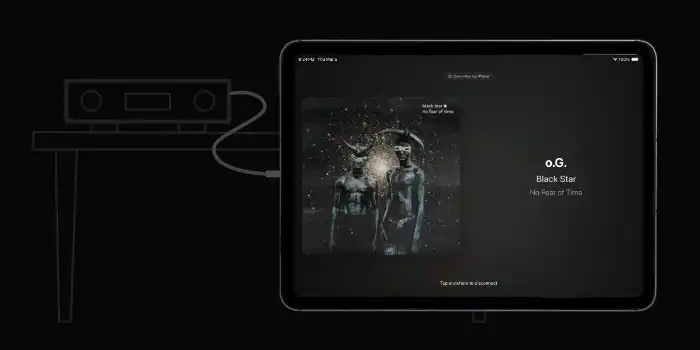 Example: iPad with USB DAC
Controller
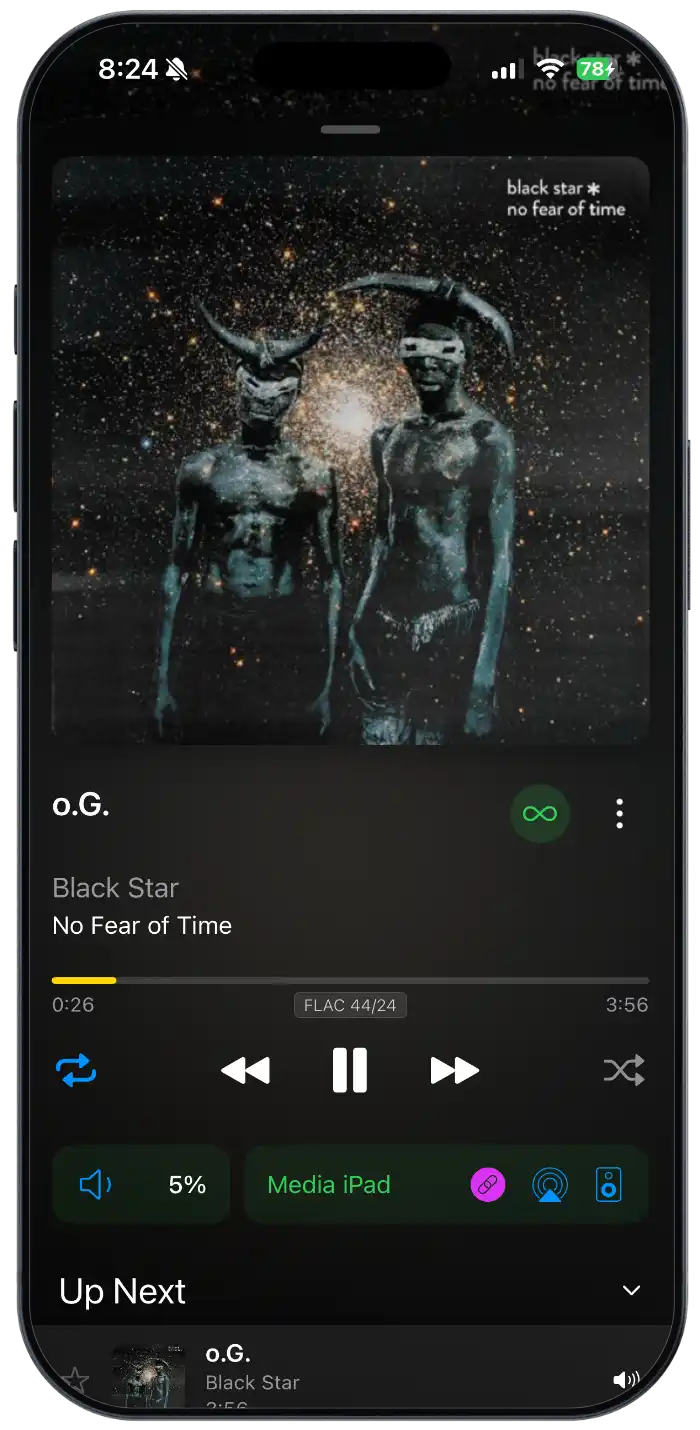
The device you hold in your hand. Browse your library, manage the play queue, and control playback — all sent to the Player in real time.
Why does this matter for Apple Music?
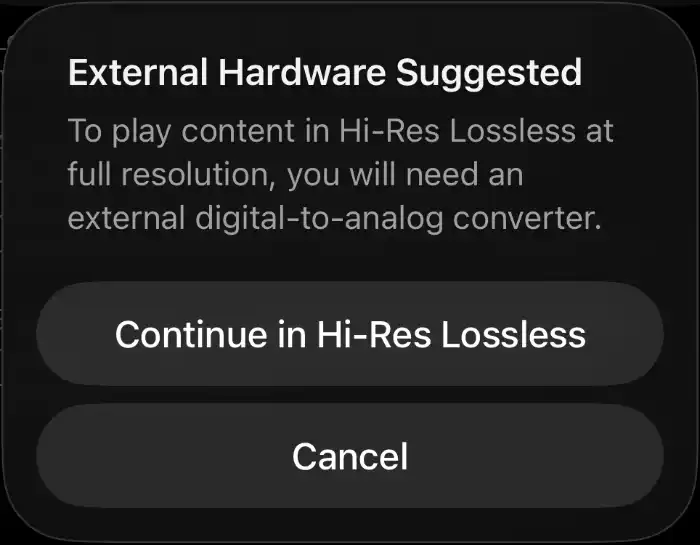
Apple's Hi-Res Lossless tier (up to 24-bit/192 kHz) requires an external DAC — audio at this resolution cannot be played over Bluetooth or the device's built-in speakers. With nexTrack Connect you can dedicate one device (such as an iPad or iPhone) as a USB-connected Player to your DAC, while using a second device as a wireless Controller to queue tracks, and skip songs without ever touching the Player.
How to Get Started
Setting up nexTrack Connect takes just a few minutes. Follow the steps below to pair your devices and start listening.
Enable Hi-Res Lossless in Apple Music
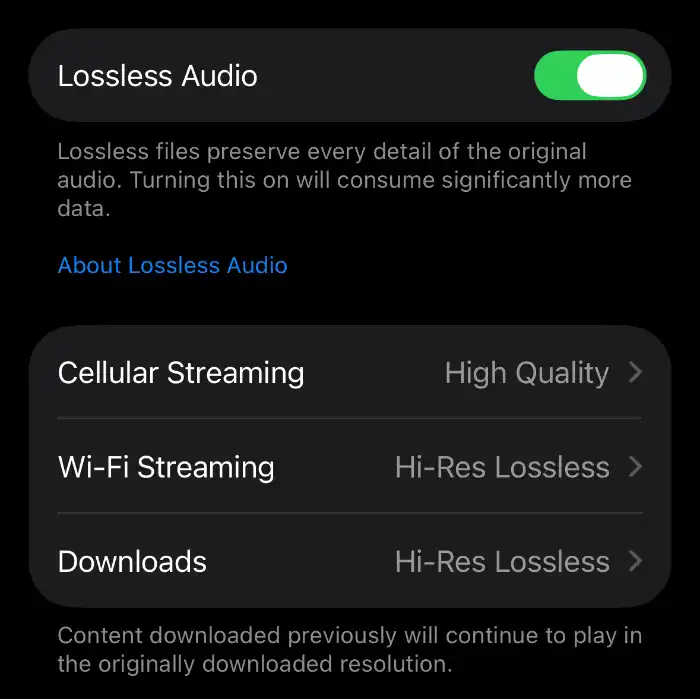
On both devices, open Settings → Apps → Music → Audio Quality and make sure Lossless Audio is turned on and Hi-Res Lossless up to 24-bit/192 kHz is selected for Wi-Fi streaming and Downloads.
Connect Your Apple Music Library
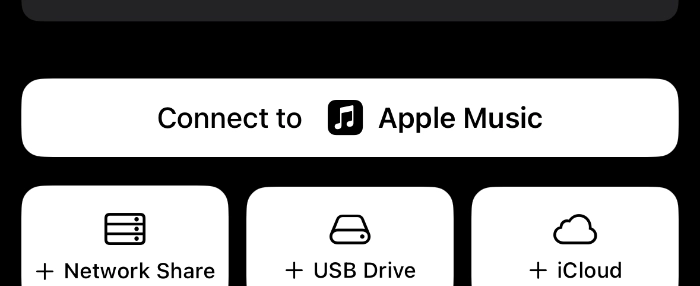
On both devices, open nexTrack and connect your Apple Music library. Go to Libraries and tap Connect to Apple Music. Each device needs access to your Apple Music library for nexTrack Connect to browse and play your music.
Put the Player in Discoverable Mode
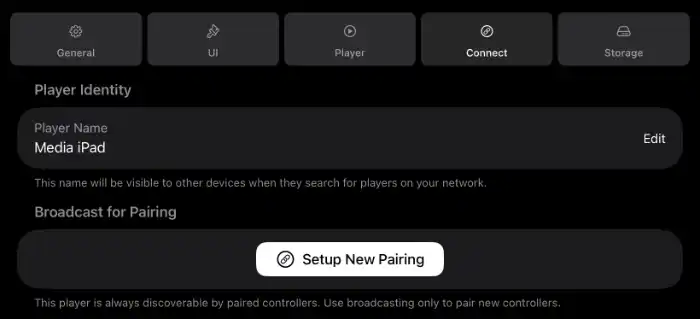
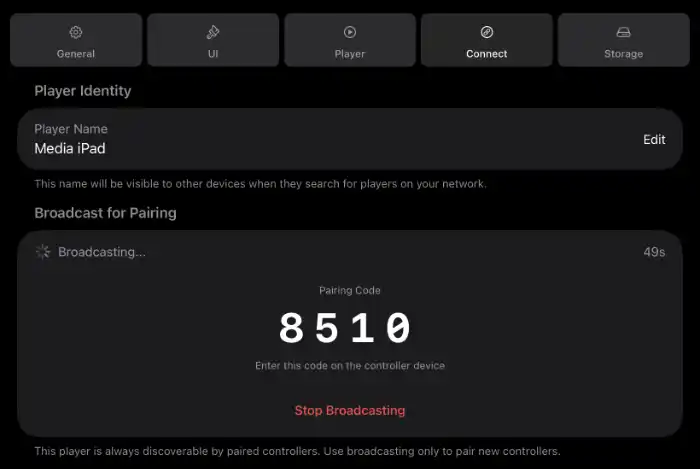
On the device that will act as the Player (connected to your DAC), open nexTrack, go to Settings → Connect and tap on Setup New Pairing. This allows the Controller to find it on the network.
Pair With a 4-Digit Code
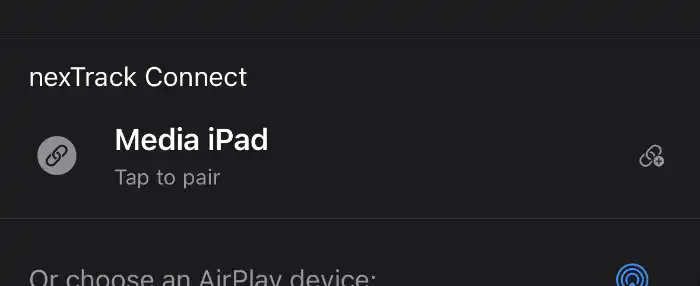
On the Controller device, open nexTrack and navigate to the player discovery (The view that shows the available players to play to on the network). The nexTrack Connect Player will appear in the list of available devices. Tap it and enter the 4-digit pairing code displayed on the Player to securely connect the two devices.
Controller Device
Player Device
Choose the Player and Start Listening
Once paired, the Player appears in the Player discovery on the Controller. Select it, pick a track, and enjoy Apple Music Hi-Res Lossless through your DAC — controlled entirely from your other device.