CD Ripping and Library Organization
Last updated: Jan 23, 2026
Why build your own music library?
In an era dominated by streaming services, there's still tremendous value in maintaining a personal music library ripped from your CD collection. When you rip CDs to lossless FLAC (Free Lossless Audio Codec) format, you're preserving the original audio quality exactly as it was mastered—bit-perfect, with no compression artifacts or quality loss.
Key Benefits of Lossless CD Ripping
- Bit-Perfect Audio Quality: FLAC files maintain 100% of the original CD audio data, unlike MP3 or AAC which discard information to reduce file size.
- Future-Proof Your Collection: Once ripped, your music is safe from physical disc degradation, scratches, or loss.
- Complete Ownership: Unlike streaming services, you own your music library permanently—no subscription required, no tracks disappearing from catalogs.
- Rich Metadata: Properly tagged files include album art, artist information, genres, release dates, and more for seamless library browsing.
- Universal Playback: FLAC is widely supported across devices, media servers, and audiophile equipment.
- Space Efficient: While lossless, FLAC typically compresses to 50-60% of the original WAV file size without any quality loss.
Choosing Your CD Ripping Software
The key to a high-quality music library starts with the ripping process. The right software ensures accurate, bit-perfect extraction from your CDs while automatically fetching metadata and album artwork. Here are the top options for Windows and macOS:
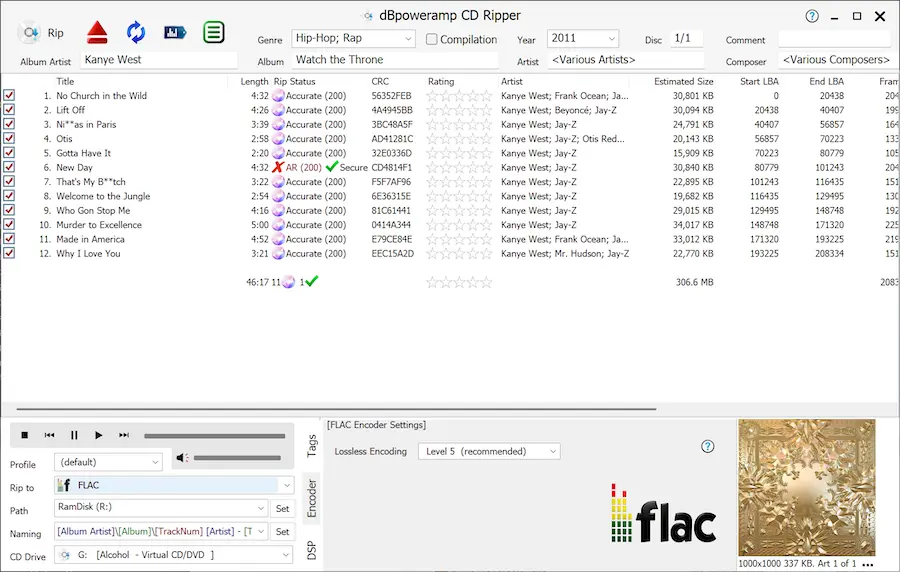
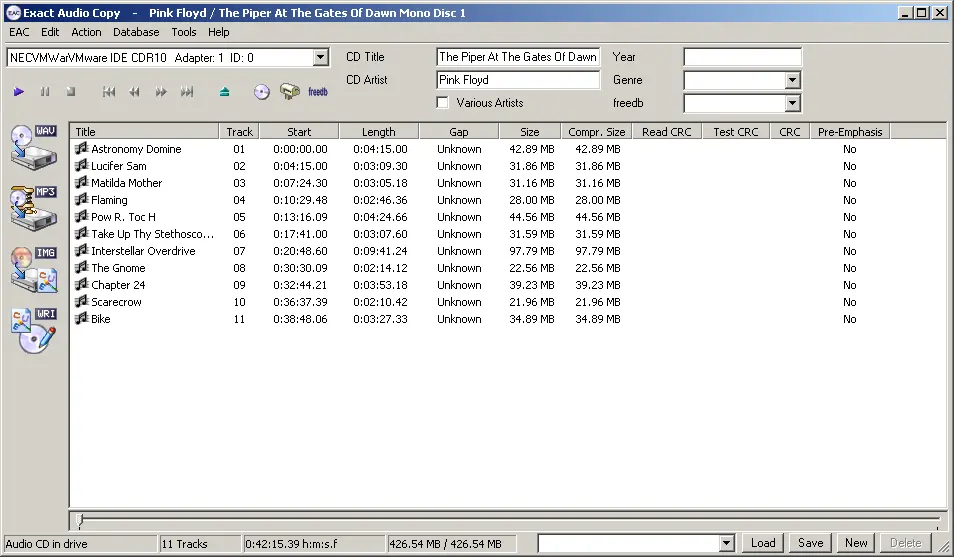
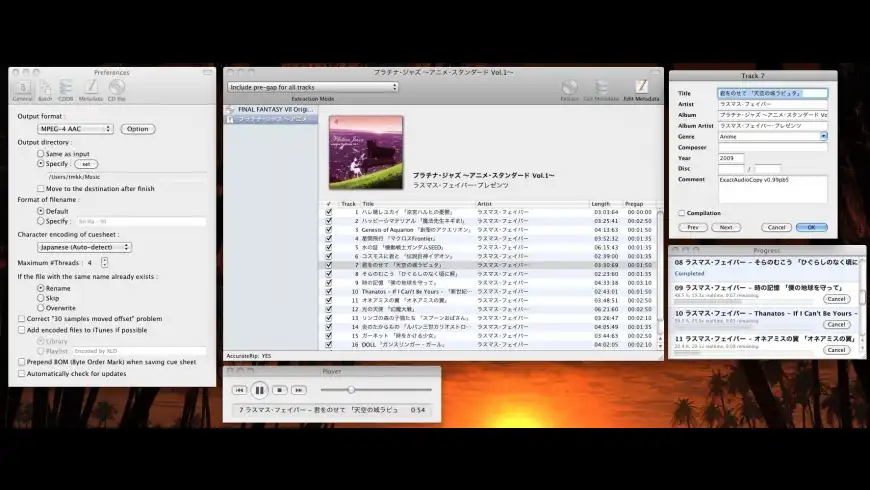
| Software | Platform | Price | Key Features |
|---|---|---|---|
| dBpoweramp CD Ripper | Windows, macOS | Paid | AccurateRip verification, multi-core encoding, extensive format support, metadata lookup, batch processing |
| Exact Audio Copy (EAC) | Windows | Free | Industry standard for accuracy, AccurateRip, extensive error detection, detailed logs, highly configurable |
| XLD (X Lossless Decoder) | macOS | Free | AccurateRip support, multiple format output, cue sheet support, excellent error correction |
Our Recommendations
- For Windows Users: Start with Exact Audio Copy (EAC)—it's free, incredibly accurate, and trusted by audiophiles worldwide. If you prefer a more modern interface and faster workflow, dBpoweramp is worth the investment.
- For macOS Users: XLD is the go-to free option with excellent accuracy. For those wanting premium features and support, dBpoweramp offers a polished cross-platform experience.
Why FLAC Is the Better Choice
When ripping your CD collection, the format you choose matters immensely. FLAC (Free Lossless Audio Codec) stands out as the gold standard for several compelling reasons:
- Lossless Compression: Unlike MP3 or AAC, FLAC preserves every bit of audio data from the original CD. You get identical sound quality to the source—no information is discarded during encoding.
- Smaller Than Uncompressed: FLAC files are typically 50-70% the size of raw WAV files while maintaining perfect audio fidelity. You save storage space without sacrificing quality.
- Future-Proof: Since FLAC retains all original data, you can always convert to other formats later without generational loss. Rip once, convert as needed.
- Open and Free: FLAC is an open-source format with no licensing fees or DRM restrictions. Your music remains truly yours.
- Wide Compatibility: Most modern music players, streaming devices, and software support FLAC natively—including Plex, Sonos, and virtually all audiophile equipment.
- Rich Metadata Support: FLAC supports embedded album art, lyrics, and comprehensive tagging, making library organization seamless.
While lossy formats like MP3 were necessary when storage was expensive, today's affordable hard drives make FLAC the obvious choice. Why settle for compressed audio when you can preserve your collection in perfect quality?
The Ripping Process: Best Practices
Regardless of which software you choose, follow these guidelines for optimal results:
- Clean Your CDs: Wipe discs with a microfiber cloth from center to edge before ripping to minimize read errors.
- Enable AccurateRip: This feature compares your rip against a database of verified rips to ensure bit-perfect accuracy.
- Use Secure Mode: Configure your software to re-read sectors with errors multiple times for the most accurate extraction.
- Choose FLAC Format: Set output to FLAC with compression level 5-8 for the best balance of file size and encoding speed.
- Organize by Folder Structure: Use a consistent naming scheme like
Artist/Album/Track Number - Track Title.flac - Verify Your Rips: Check the logs to ensure no errors occurred during extraction.
Polishing Your Library with MusicBrainz Picard
After ripping your CDs, the final step is ensuring your music library has complete, accurate, and consistent metadata. This is where MusicBrainz Picard becomes invaluable.
What is MusicBrainz Picard?
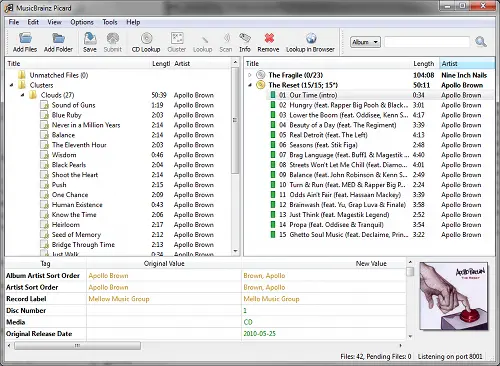
MusicBrainz Picard is a free, open-source music tagger that uses acoustic fingerprinting and the comprehensive MusicBrainz database to automatically identify and tag your music files. It works across Windows, macOS, and Linux.
Why Use Picard?
- Automatic Identification: Uses AcoustID fingerprinting to identify tracks even with missing or incorrect metadata.
- Comprehensive Metadata: Adds artist names, album titles, track numbers, genres, release dates, record labels, and more.
- Album Artwork: Automatically downloads high-quality cover art from multiple sources.
- Consistency: Standardizes metadata across your entire library using the MusicBrainz database.
- Batch Processing: Tag hundreds or thousands of files at once.
- Customizable: Configure tagging rules, file naming, and metadata fields to match your preferences.
Using Picard: Quick Start
- Download and Install: Get Picard from picard.musicbrainz.org
- Add Your Files: Drag and drop your ripped FLAC files or folders into Picard.
- Scan/Lookup: Click "Scan" to fingerprint files, or "Lookup" if metadata already exists.
- Match Albums: Picard will match your files to albums in the MusicBrainz database. Review matches for accuracy.
- Save: Once satisfied with the matches, click "Save" to write the metadata to your files.
Pro Tips for Picard
- Enable "Use release relationships" in settings to get additional metadata like producers and engineers.
- Configure file naming scripts to automatically organize files into folders as they're tagged.
- For compilation albums, make sure to check "Various Artists" handling in preferences.
- If Picard can't find a match, you can manually search the MusicBrainz database or even add missing releases yourself.
Building Your Perfect Music Library
By combining accurate CD ripping with proper metadata tagging, you'll create a music library that's:
- Audiophile Quality: Bit-perfect FLAC files preserving every detail of the original recording.
- Beautifully Organized: Complete metadata makes browsing by artist, album, genre, or year effortless.
- Future-Proof: Your collection is safe, backed up, and ready to play on any device or platform.
- Streaming-Ready: Perfect for use with UPnP/DLNA servers, Plex, Roon, or other music management systems.
Ready to enjoy your music library? Once you've ripped and organized your collection, use nexTrack to discover and stream your music across all your devices via UPnP/DLNA. Your perfectly curated library deserves the perfect playback experience.